
All Stage Blocks Products
ShowCase Media Servers
Incredibly powerful media servers with embedded Apple computers. Apple Silicon’s video playback power makes them among the most cost-effective media servers available.
Features reliable Neutrik™ etherCon and powerCon connectors.
Perfect for educational settings where Mac computers are restricted by policy.
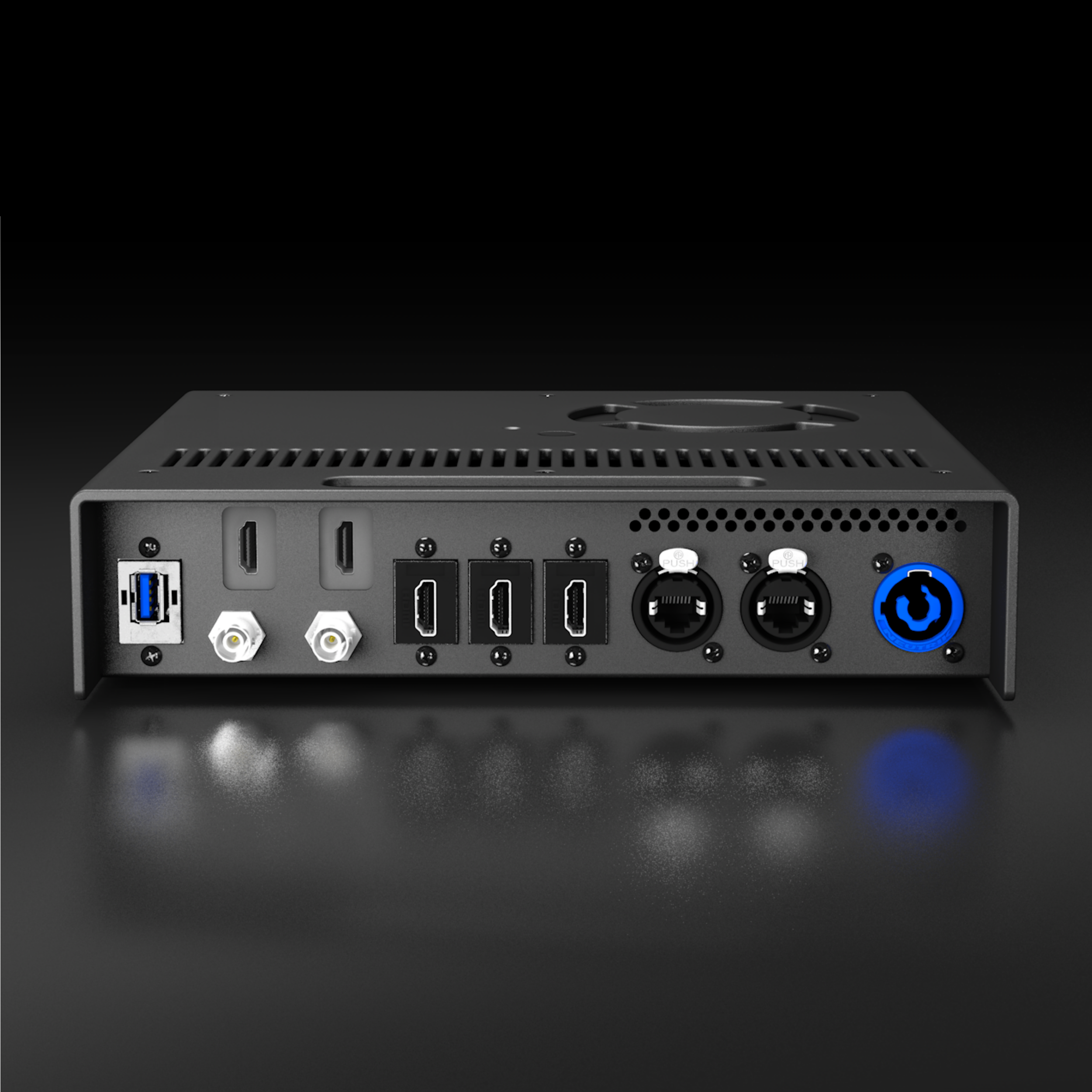
Features two 4K outputs, two 2K HDMI+SDI inputs or outputs, two Ethernet ports, two USB-A ports, and two USB-C ports.
Display Slicers
Slice a single display output from your Mac into four separate outputs. Perfect for Macs with limited display counts, or for connecting dozens of projectors to a single powerful Mac.
SLICE4 is designed to be plug-and-play, with no complex configuration software or confusing menus to navigate. Just connect it to your Mac with the included USB-C to DisplayPort cable and tell your video mapping software to use it as a 2x2 slicer.
Note: a slicer lets your video mapping software play different videos to each projector or display, whereas a splitter outputs the same video to all projectors. A splitter is not usually suitable for projection mapping.

Slice a single 4K output from your Mac into four separate HDMI signals. Use SLICE4 to connect four projectors to a single port on any Mac, then use software like QLab or MadMapper to map them separately.
Unlike other display slicers which compromise on image quality or maximum resolution, the SLICE4 uses advanced FPGA technology to prevent quality loss. All outputs are by default WUXGA 1920×1200 resolution, the same as most theatrical projectors. Outputs can be configured to 1920×1080 using the excellent Mac app BetterDisplay Pro.
SLICE4 is designed to be plug-and-play, with no complex configuration software or confusing menus to navigate. Just connect it to your Mac with the included USB-C to DisplayPort cable and tell your video mapping software to use it as a 2x2 slicer.
Includes
Slice4 HDMI
3ft USB-C to DisplayPort adapter cable
Locking 12V power adapter
Four HDMI outputs up to 1920x1200, the most common resolution for theatrical projectors.
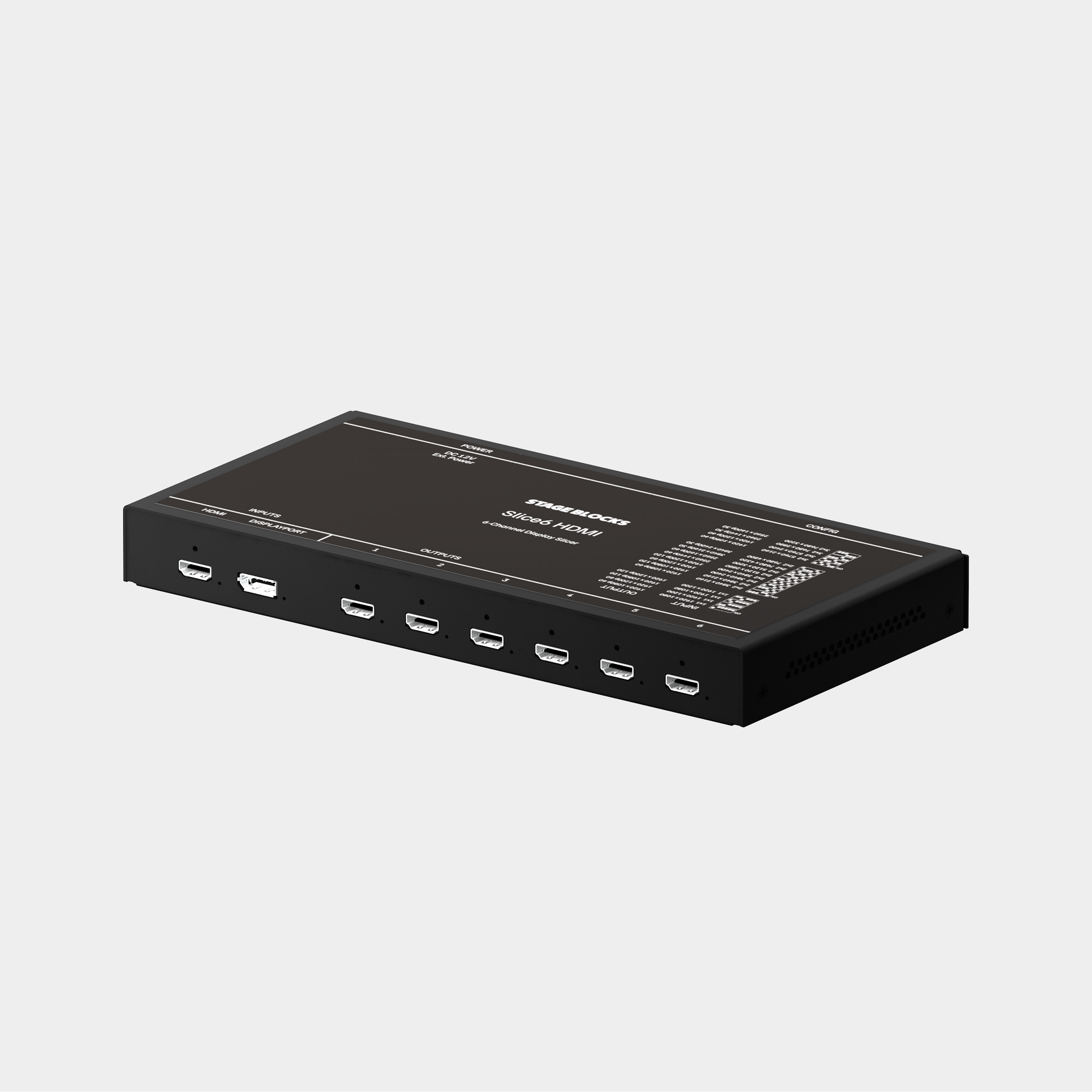
Slice a single 4K output from your Mac into up to six separate HDMI signals. Use SLICE6 to connect six projectors to a single port on any Mac, then use software like QLab or MadMapper to map them separately.
Unlike other display slicers which compromise on image quality or maximum resolution, the SLICE6 uses advanced FPGA technology to prevent quality loss. Simple DIP switches are used to set the output resolution up to 6@1920×1200p60 or 4@3840×2400p30.
SLICE6 is designed to be plug-and-play, with no complex configuration software or confusing menus to navigate. Just connect it to your Mac with the included USB-C to DisplayPort cable and set the output configuration you want. We’ve even printed common configuration DIP settings right on the box.
Includes
Slice6 HDMI
3ft USB-C to DisplayPort adapter cable
Locking 12V power adapter
Slice6 devices are built-to-order and may take up to 21 days to ship.
Six HDMI outputs up to 3840×2400
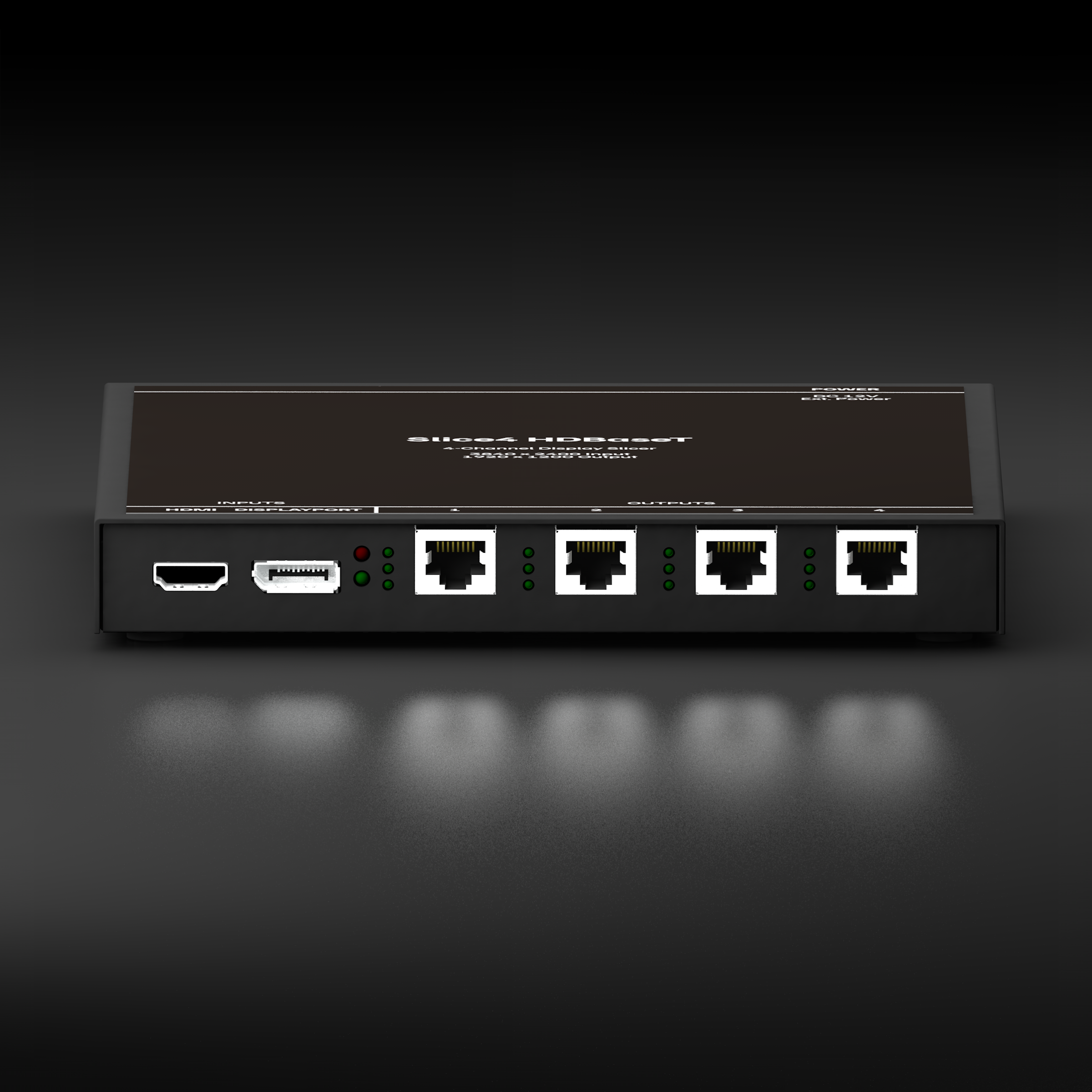
Slice a single 4K output from your Mac into four separate HDBaseT signals. Use SLICE4 to connect four projectors to a single port on any Mac, then use software like QLab or MadMapper to map them separately.
HDBaseT is transmitted over basic Cat5e/Cat6 cables and can be transmitted much greater distances than HDMI. Most professional projectors have HDBaseT input. Slice4 can transmit HDBaseT up to 230 feet.
Unlike other display slicers which compromise on image quality or maximum resolution, the SLICE4 uses advanced FPGA technology to prevent quality loss. All outputs are by default WUXGA 1920×1200 resolution, the same as most theatrical projectors. Outputs can be configured to 1920×1080 using the excellent Mac app BetterDisplay Pro.
SLICE4 is designed to be plug-and-play, with no complex configuration software or confusing menus to navigate. Just connect it to your Mac with the included USB-C to DisplayPort cable and tell your video mapping software to use it as a 2x2 slicer.
Includes
Slice4 HDMI
3ft USB-C to DisplayPort adapter cable
Locking 12V power adapter
Use the four HDBaseT outputs to easily connect to projectors at long distances using simple Cat-6 cables.
Projector Mounts
Easily hang a projector from a pipe or sidearm the same way you would a stage light. Tilt locking knobs and C-clamp are familiar to any technician used to hanging stage lights.
Safely tie off accessories like signal converters directly to the tray.
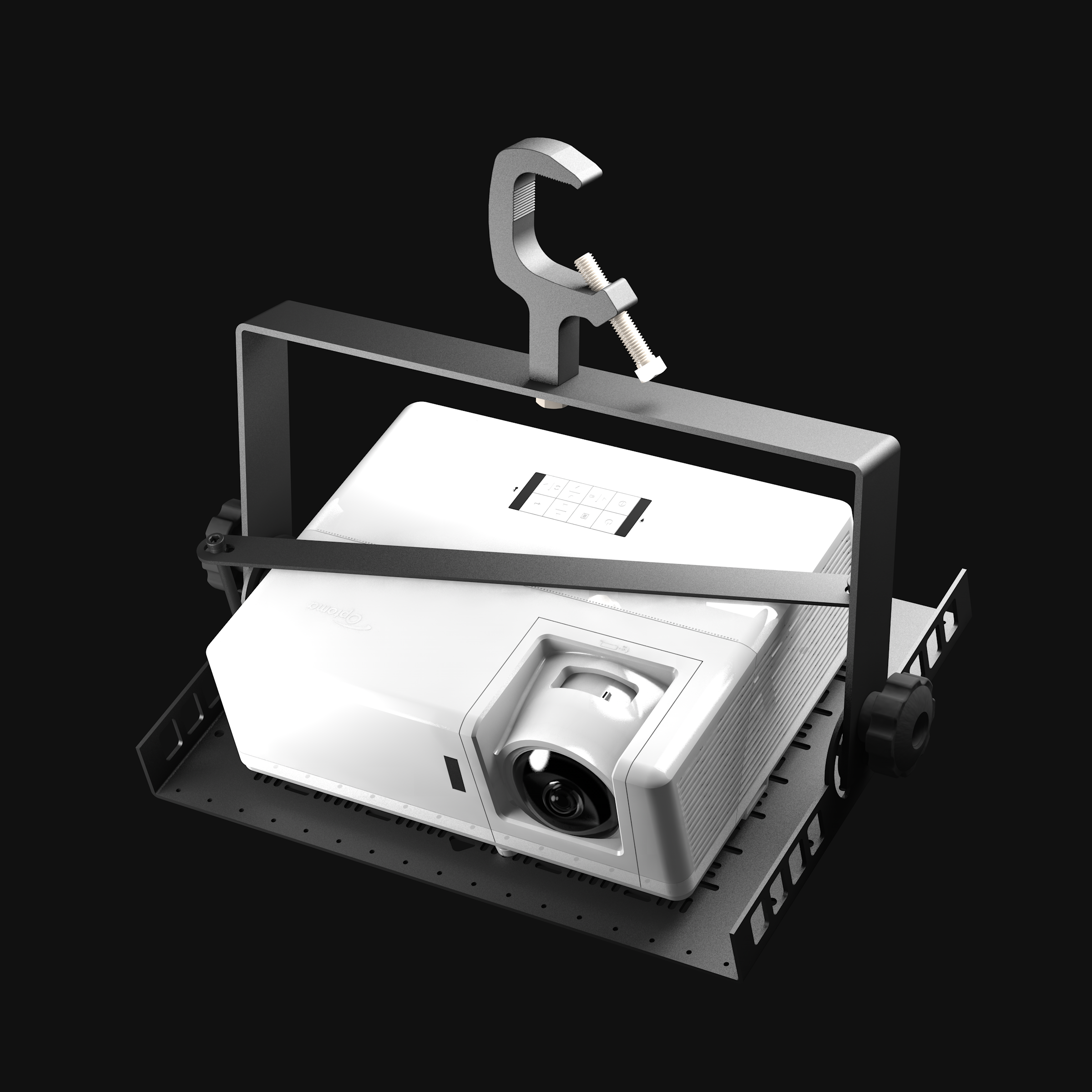
Use this mount to hang a projector the same way you would a stage light, including steep angles that standard projector mounts can’t accomplish. Tilt clutch knobs and C-clamp are familiar to any technician used to hanging stage lights. Compatible with most projectors up to 5,000 lumens.
Can also be used for floor/tabletop mounting by rotating the yoke around to the opposite side.
Projector tray features a cheeseplate slot pattern that aligns with mounting holes on any projector. A locking bar spans across the top of the projector for additional security and to reduce vibrations in the projector body. Accessories like signal converters can be safely tied off to the tray.
Our cheeseplate projector tray aligns with the mounting holes on any projector with M4 mounting screws. That’s most projectors up to 5000 lumens!